Kanban board design: columns, WIP limits, and card
structure
A Kanban board is designed around three core elements: column structure, WIP limits, and card information. The standard column structure is: Backlog → Ready → In Progress → Review → Done. Each column represents a stage in the workflow. WIP limits define the maximum number of items allowed in each active column — typically set at the number of team members plus one for that stage. When a column hits its WIP limit, the team stops starting new work and focuses on completing what is already in progress. Each Kanban card should contain: work item title, owner, start date, priority, and any blocking dependencies. The board's primary purpose is not to track work — it is to make flow visible and surface bottlenecks before they cause delays. A board that nobody looks at is decoration, not Kanban.
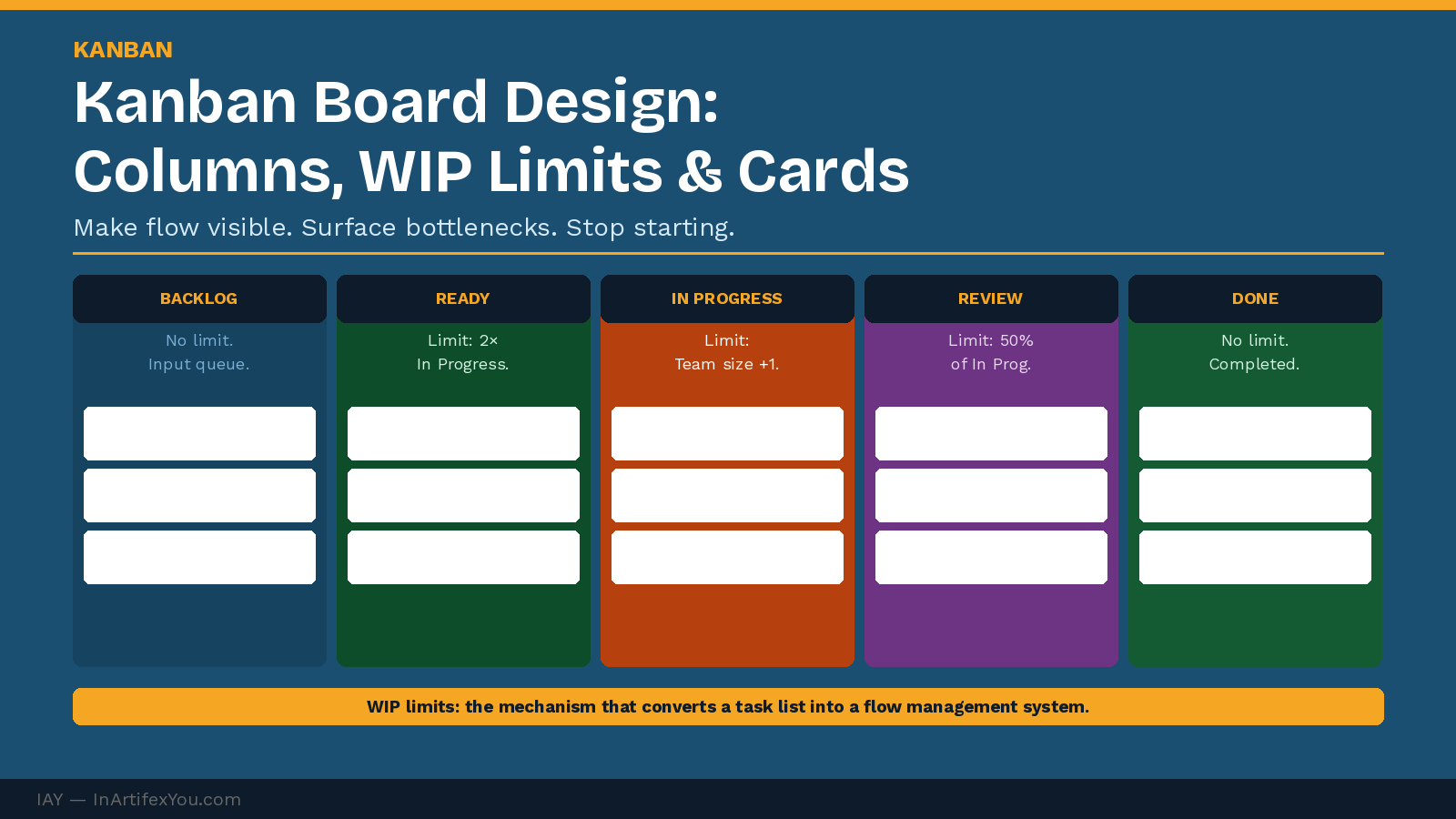
Kanban is deceptively simple to start and surprisingly difficult to sustain. Most teams put columns on a board and call it Kanban. The boards that actually improve flow share three design principles that most initial implementations get wrong: meaningful column definitions, enforced WIP limits, and cards that contain the right information.
Column Structure: Define Your Workflow States
Columns represent distinct workflow states — not just stages in a timeline. The difference matters: a workflow state is a condition that requires specific work to complete before the item can move forward. A well-designed Kanban board has 4–7 columns. More than seven usually indicates that some states should be merged or that the workflow is too complex for a single board.
|
Column |
Purpose |
WIP Limit Rule |
|
Backlog. |
All work items awaiting prioritization. |
No limit — this is a queue, not an active state. |
|
Ready. |
Prioritized items ready to be pulled into active work. |
Limit to 2× the In Progress limit — prevents over-planning. |
|
In Progress. |
Active work being executed right now. |
Set at number of team members assigned to this stage. |
|
Review / QA. |
Completed work awaiting verification or approval. |
Set at 50% of In Progress limit — keeps review fast. |
|
Done. |
Verified and delivered items. |
No limit — this is a completed record. |
WIP Limits: The Most Important Kanban Rule
Work-in-progress limits are the mechanism that makes Kanban a flow management system rather than a task tracking system. Without WIP limits, a Kanban board is a visual to-do list. With enforced WIP limits, it becomes a constraint management tool that forces the team to finish work before starting new work.
The WIP Limit Principle
Stop starting. Start finishing.
When a column hits its WIP limit, no new items enter that column until one exits. The team's energy focuses on completing what is in progress — not on taking on more work.
A team that violates WIP limits consistently is revealing a real problem: either the limits are set wrong, or the team has not internalized the discipline. Both are worth addressing directly.
Card Design: The Right Information at a Glance
Every Kanban card should answer five questions at a glance:
- What is the work item? — Clear, specific title — not 'update website.'.
- Who owns it? — Named individual — not 'team.'.
- When did it start? — Start date in the current column — enables cycle time tracking.
- What is the priority? — Color code or label (High / Medium / Low).
- Is anything blocking it? — Red flag or blocker label with the dependency named.
Cards that lack owner names or start dates make cycle time measurement impossible — which means the board can show you work is stuck, but not how long it has been stuck or why.
Physical vs. Digital Kanban Boards
|
PHYSICAL BOARD Visible to the whole team at all times — no login required. |
DIGITAL BOARD Accessible to distributed teams across locations. |
Back to hub: KANBAN.
- Kanban WIP limits: how to set them and why they matter.
- Kanban metrics: cycle time, lead time, and throughput.
- Kanban vs Scrum: when to use which.
🔗 INTERNAL LINK SUGGESTIONS
| ||||||||||||||||||||||
The Continuous Improvement Certification at InArtifexYou gives you a complete, practical system to map, baseline, improve, and sustain any process — and the verified credential to prove you can lead it.
inartifexyou.com/continuous-improvement-certification-online.html | ||||||||||||||||||||||
|