Kanban WIP limits: how to set them and why they matter
WIP (Work-in-Progress) limits define the maximum number of items allowed in any active Kanban column at one time. They are the mechanism that converts Kanban from a visual task tracker into a flow management system. Setting WIP limits: start with the number of people working in that stage plus one. For a team of three developers in the In Progress column, set the WIP limit at four. After two weeks, observe where work piles up — that column is your bottleneck, and its WIP limit may need adjustment. Why WIP limits matter: when every item is 'in progress' simultaneously, nothing actually moves. WIP limits force the team to complete work before starting new work — which reduces multitasking, exposes bottlenecks, and produces faster, more predictable delivery. Teams that enforce WIP limits consistently report 20–40% reductions in average cycle time within 60 days.
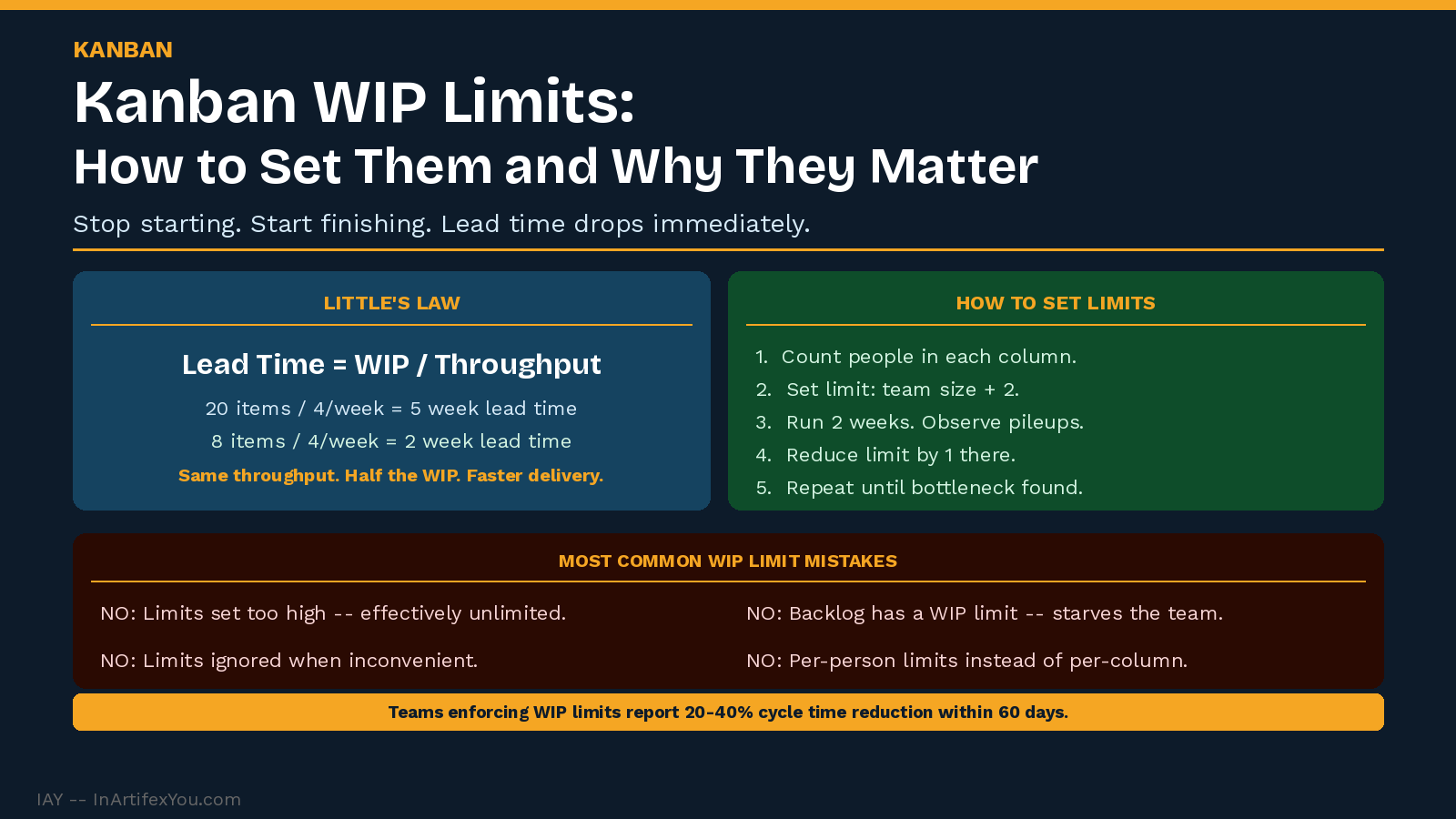
WIP limits are the single most powerful and most frequently violated element of Kanban. Teams adopt the board, define the columns, write the cards — and then ignore the WIP limits the moment they feel inconvenient. This is the decision that separates teams using Kanban as a task list from teams using Kanban as a flow system.
Why WIP Limits Work: Little's Law
The theoretical foundation for WIP limits is Little's Law — a mathematical relationship from queuing theory: Lead Time = WIP ÷ Throughput. This means that for a given throughput rate, reducing WIP directly reduces lead time. A team that cuts its average WIP in half — without changing how fast they work — will deliver items twice as fast on average.
Little's Law Applied
Example: A team with 20 items in progress and a throughput of 4 items per week has an average lead time of 5 weeks.
The same team with 8 items in progress and the same throughput delivers in an average of 2 weeks.
WIP reduction is lead time reduction — the math is unambiguous.
How to Set Initial WIP Limits
The most common mistake in setting WIP limits is starting with limits that are too low. Limits that are too restrictive cause teams to abandon them immediately. Start permissive and tighten over time:
- Count the number of people actively working in each column.
- Set the initial WIP limit at that number plus two.
- Run for two weeks and observe where work accumulates.
- Reduce the limit in the accumulating column by one.
- Repeat until the column that fills first is your known constraint.
What Happens When a WIP Limit Is Hit
When a column reaches its WIP limit, the correct response is not to ignore it — it is to swarm the bottleneck. Every available team member shifts focus to helping complete the items in the full column before new work enters.
- If In Progress is full: pull reviewers in to help complete items rather than starting new ones.
- If Review is full: the whole team stops starting and focuses on clearing the review queue.
- If Done is filling but not being deployed: the deployment process is the bottleneck — address that, not the development WIP limit.
The Most Common WIP Limit Mistakes
|
Mistake |
What It Looks |
Like The Fix |
|
Limits set too high. |
WIP limit is 15 for a team of 5 — effectively unlimited. |
Start at team size + 2, reduce quarterly. |
|
Limits ignored when convenient. |
'We're an exception this sprint. |
No exceptions — the exception is the symptom. |
|
Limits set per person instead of per column. |
Each person has their own limit of 3. |
Set column limits — the team manages the constraint together. |
|
Backlog has a limit. |
The input queue is capped, starving the team. |
Never limit the backlog — limit active stages only. |
Back to hub: KANBAN.
- Kanban board design: columns, WIP limits, and card structure.
- Kanban metrics: cycle time, lead time, and throughput.
- Kanban vs Scrum: when to use which.
🔗 INTERNAL LINK SUGGESTIONS
| ||||||||||||||||||||||
The Continuous Improvement Certification at InArtifexYou gives you a complete, practical system to map, baseline, improve, and sustain any process — and the verified credential to prove you can lead it.
inartifexyou.com/continuous-improvement-certification-online.html | ||||||||||||||||||||||
|